前言
我之前用習慣了在 vscode 裡面使用 copilot 的模式,結果換到 Antigravity 裡面它的操作直接讓我水土不服。
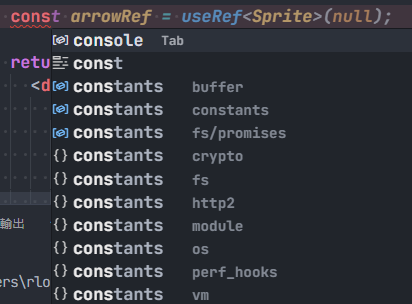
我習慣自己打程式碼的時候使用 Tab 同意選字(auto complete) 與 AI 建議。兩個快捷鍵衝突怎麼選呢?
當選字選單與 AI 建議同時出現的時候],Tab 優先給選字;如果我要應用 AI 建議的話我需要先把選字的選單 Esc 關掉,再使用 Tab 應用 AI 生成的預測建議。在 VScode 裡面預設是如此。
Antigravity 為了把優先權給自家的 AI 建議,預設把選字改成了 Enter、Tab 給 AI 應用建議,習慣了 VScode 的邏輯之後用上 Antigravity 整個不順手。
設定
基本上你需要做兩件事
- 關閉接受 Enter 選字
- 重新設定快捷鍵
關閉 Enter 選字
進入到設定選單,在搜尋列打上Editor: Accept Suggestion On Enter
把預設 on 改成 off

快捷鍵設定
按下 F1 進入命令選單,在搜尋列打上 Open KeyBoard Shortcuts 選擇 JSON 模式。
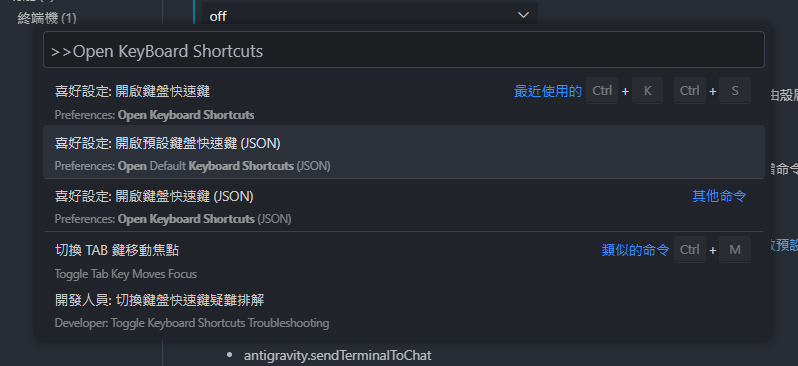
在文件尾部 ] 之前加上下面配置
  {
    "key": "tab",
    "command": "acceptSelectedSuggestion",
    "when": "suggestWidgetHasFocusedSuggestion && suggestWidgetVisible && suggestionMakesTextEdit && textInputFocus"
  },
  {
    "key": "tab",
    "command": "antigravity.prioritized.supercompleteAccept",
    "when": "!(suggestWidgetVisible) && (antigravity.customCompletionShown && editorTextFocus || editorTextFocus && inlineSuggestionHasIndentationLessThanTabSize && inlineSuggestionVisible || editorTextFocus && inlineSuggestionVisible && neovim.init && neovim.mode == 'normal' || editorTextFocus && inlineSuggestionVisible && vim.active && vim.mode == 'Normal')"
  },
  {
    "key": "tab",
    "command": "-antigravity.prioritized.supercompleteAccept",
    "when": "antigravity.customCompletionShown && editorTextFocus || editorTextFocus && inlineSuggestionHasIndentationLessThanTabSize && inlineSuggestionVisible || editorTextFocus && inlineSuggestionVisible && neovim.init && neovim.mode == 'normal' || editorTextFocus && inlineSuggestionVisible && vim.active && vim.mode == 'Normal'"
  }
上面三個配置意義分別如下:
- 重新設定選字按鍵
- 設定新的接受 AI 建議條件
- 移除舊的條件與按鍵綁定
保存文件並重新啟動編輯器就設定好啦:D